 ClipMint
Turn long videos into Shorts, on your own PC
ClipMint is a free, open-source desktop app for Windows, macOS and Linux. Give it a stream VOD, podcast, vlog or tutorial. It finds the best moments, cuts them into vertical Shorts with captions burned in and the dead air taken out, writes the titles and tags, and can upload them to your YouTube channel.
See it work
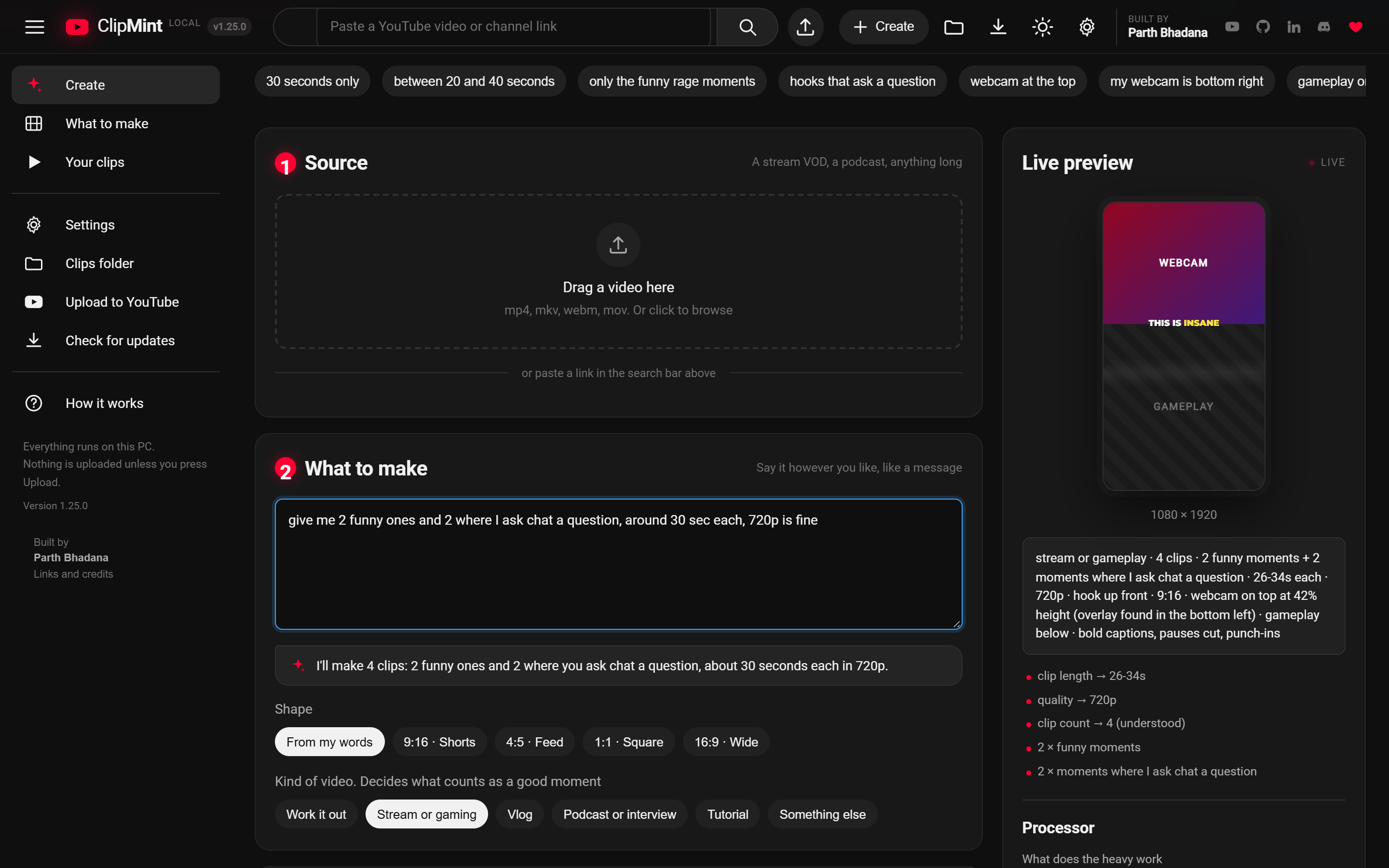
A minute with the app: a podcast, vlog, tutorial, interview or stream goes in, and ranked Shorts come out, titled, packaged for three apps and scheduled to YouTube.
What it does
Finds the moments
Transcribes the video on your computer and ranks every moment on one question: would a stranger scrolling past stay for it? It looks at the best ones before cutting them, and tells you why each ranked where it did. Ask for it like a message, "2 funny ones and 2 where I ask chat a question", and it fills both.
Reads the chat
On a YouTube stream, it reads the chat replay to find what your live audience reacted to, including the moments nobody said anything about. Floods you asked for, like "everybody type W", don't count.
Cuts them vertical
Renders 9:16 clips with faces and gameplay framed the way Shorts need them. With two people in the shot, it frames whoever is talking and cuts between them.
Captions them
Burns in captions a few words at a time, with the word being said lit up, and puts each clip's hook line across the top for its first seconds. Four styles, ten fonts, any colour, top to bottom.
Edits out the dead air
Cuts quiet pauses and "um"s, zooms in on the lines that land, and can add emoji, stock B-roll and your logo.
Writes the packaging
Drafts titles, descriptions and tags for YouTube, plus captions for Reels and TikTok. You can edit every word.
Posts to your channel
Optionally uploads a clip to YouTube, now or on a schedule, when you press Upload.
Learns from your views
Reads how each Short you posted did, tells you what's working on your channel, and tunes the ranking when the evidence is strong, never on a hunch.
Lets you fix it
Trim any clip, correct a misheard word, drag the frame to where it should be, or move the captions. Each one renders again from the original video.
Download
Free, with nothing else to install. On first run it asks for a free Gemini API key, which stays on your computer.
Windows
The tested build. Double-click it and go. After this it updates itself.
Download for WindowsmacOS Beta
Built and checked by GitHub's Mac runners, but no one has run it on a real Mac yet. macOS blocks it the first time you open it: here's how to open it.
Download for MacLinux Untested
Runs under WSL but hasn't been tried on a real desktop yet. Make the file executable, run it, and it opens in your browser.
Download for LinuxSomething not working? Tell me what happened. Older versions and release notes are on the releases page.
Captions and the edit
Most Shorts are watched on mute, so every clip comes back with captions on the video itself, in one of four styles. The fonts ship with the app, so they look the same on every PC. Any style can be swapped to one of ten fonts, with the spoken word in any colour, at the top, in the middle or at the bottom:
THIS IS INSANE
IS INSANE
this is insane
THIS IS INSANE
- Dead air goes. Quiet pauses and "um"s are cut. A pause with sound in it stays: a laugh, the game going off, the quiet beat right before the payoff.
- Punch-ins zoom in on the lines said with emphasis.
- Emoji, stock B-roll and your logo are there when you want them. B-roll uses a free Pexels key and never goes over gameplay.
- Say it instead of clicking: "comic captions, keep the pauses".
- The hook line goes across the top for the clip's first seconds, so a stranger knows what they're about to see.
- Captions in the wrong place on one clip? Move them up or down, with a line on the clip showing where they'll land.
- Hindi comes out in Hinglish: "bhai ye game kya hai", the way Hindi Shorts are read, not Devanagari.
- Every clip says why it ranked, with bars for its hook, the moment, how its frames look to a stranger, its energy and its pace, and on a stream, how hard chat reacted.
The full guide, including how to fix a misheard word, is on GitHub.
When it gets it wrong
Automatic is right most of the time. For the rest, every clip opens in a player where you can fix it without running anything again:
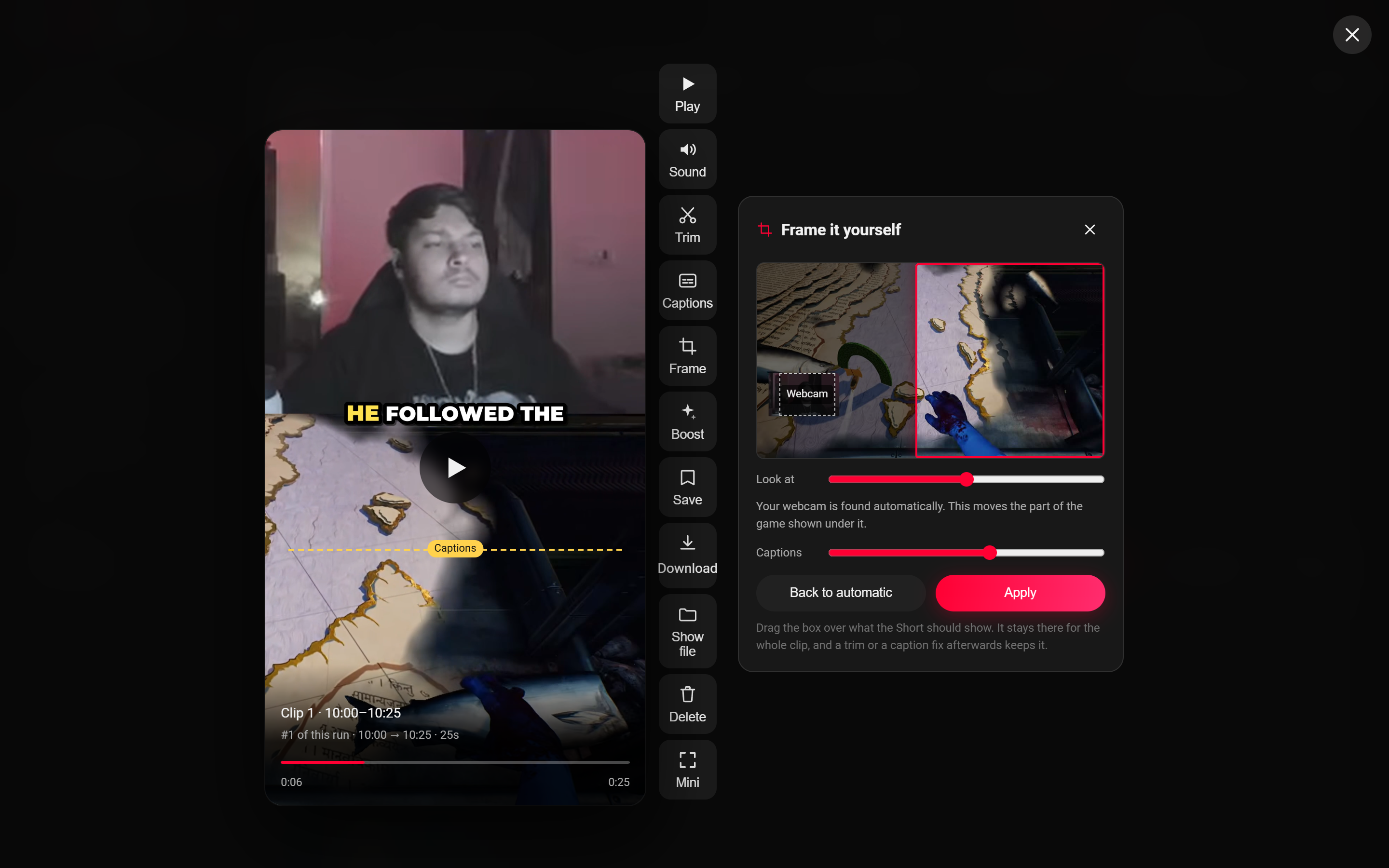
- Framed wrong? Press Frame and the whole source picture opens with the part the Short shows marked on it. Drag the box to where it should be. On a webcam-over-gameplay clip your webcam stays found for you, and the box moves the game underneath it.
- Cut in the wrong place? Trim it. The span can grow as well as shrink, because it's cut again from the original video.
- A name misheard? Type the line as it should read, and it's burned in again.
Each fix stays with the clip, so a trim after a reframe keeps the frame. Back to automatic undoes it.
Uploading to YouTube
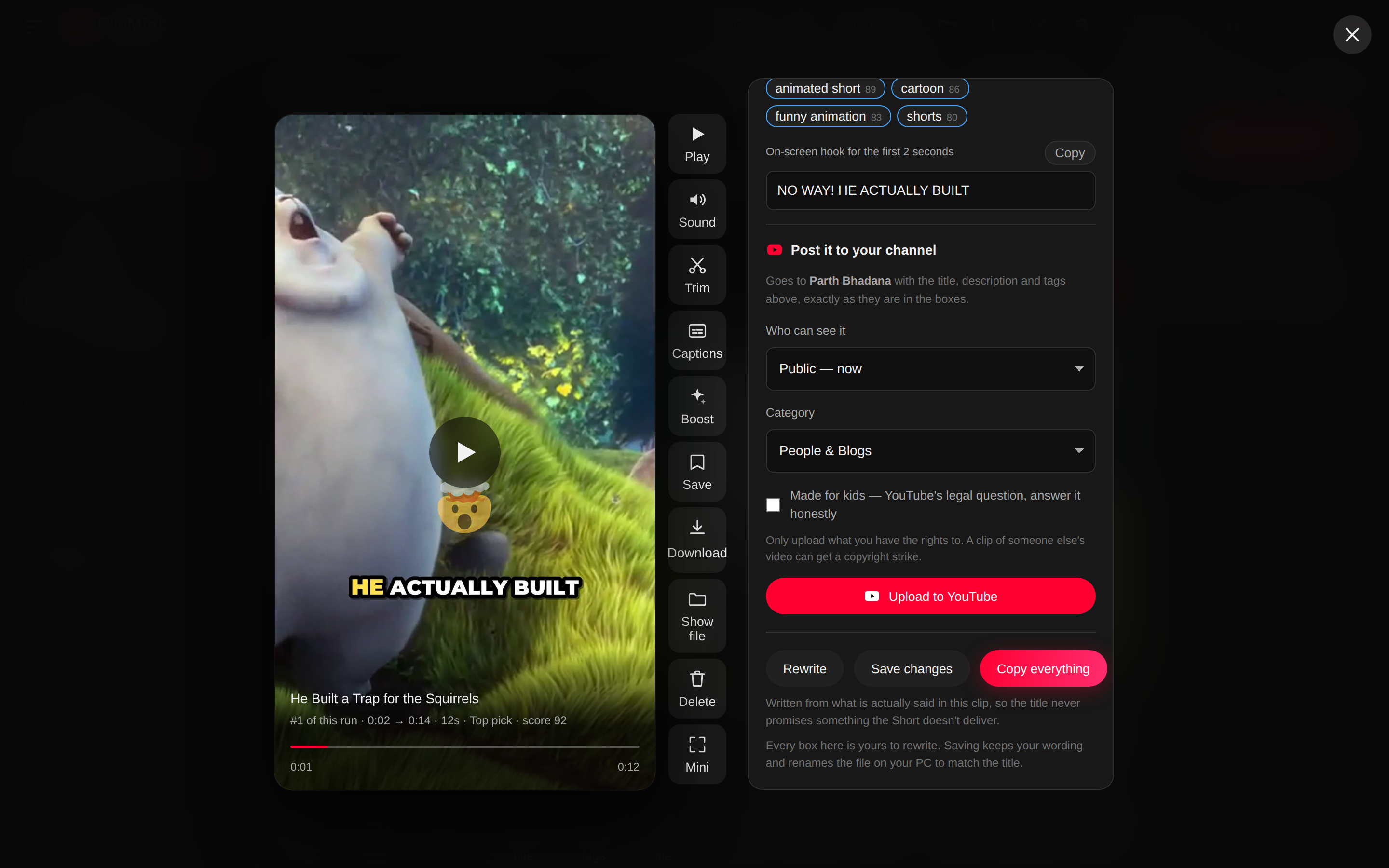
ClipMint uses YouTube API Services to upload clips to your channel. It's optional, and it only happens when you press Upload to YouTube on a clip.
- You sign in on Google's own page. ClipMint never sees your password.
- It asks for two permissions: upload videos, and view your YouTube account so it can show which channel is connected, check an upload's privacy status, and read the views on your ClipMint clips. It can't delete or change anything on your channel.
- How your Shorts did: it reads the view, like and comment counts of your clips that are on your channel, shows them in the app, and learns which kinds of clip do well for you. The numbers stay on your computer, are refreshed on each check, and are deleted after 30 days without one.
- Each upload is one clip, with the title, description, tags and schedule you see and can edit first. Nothing is uploaded automatically.
- Your sign-in and upload records stay only on your computer. ClipMint has no servers and no accounts.
- Disconnect in Settings gives the permission back and deletes what ClipMint stored. You can also remove access at Google's permissions page.
By connecting, you agree to the YouTube Terms of Service, and the Google Privacy Policy applies. How ClipMint handles your data is in the ClipMint privacy policy.